CompTIA Network+ Study Guide 2026: Pass First Try

CompTIA Network+ is the second step on the IT career ladder. After A+, Network+ is the credential that takes you from generalist help desk into network administration, NOC operations, and the on-ramp to cloud and security. This guide covers the 2026 N10-009 exam objectives, a realistic 12-week study schedule, the lab environments that move the needle on first-try pass rates, and the post-Network+ certification path. What Is the CompTIA Network+ Certification? Network+ is a vendor-neutral certification covering network design, implementation, security, and troubleshooting. Unlike Cisco’s CCNA (which is Cisco-specific), Network+ teaches the fundamentals that apply across Cisco, Juniper, Aruba, Fortinet, and the major cloud providers. It is required or preferred for roles like: Network Technician Network Administrator Junior Systems Engineer NOC Analyst (Tier 1) Cloud Technician (entry) The 2026 Exam: N10-009 Exam length: 90 questions, 90 minutes Passing score: 720 / 900 Cost: $369 USD Format: Multiple choice + performance-based (PBQ) lab simulations The N10-009 update added stronger emphasis on cloud networking concepts, modern wireless standards (Wi-Fi 6/7, 6E), zero-trust architectures, and IoT/OT network considerations. Domain Breakdown Domain 1: Networking Concepts (23%) — OSI model, ports/protocols, IP addressing, subnetting, network types. Domain 2: Network Implementation (20%) — Routing, switching (VLANs, STP), wireless, network architecture. Domain 3: Network Operations (19%) — Documentation, change management, monitoring, disaster recovery. Domain 4: Network Security (14%) — Logical/physical security, attack types, mitigation, IoT/OT security. Domain 5: Network Troubleshooting (24%) — Methodology, cable/connectivity issues, software tools, OSI-layer diagnosis. A Realistic 12-Week Study Schedule Most candidates who pass on the first try spend 8-12 weeks studying 60-90 minutes per day. Here is a tested framework: Weeks 1-2: OSI model + IP fundamentals + subnetting Weeks 3-4: Routing + switching + VLANs (Packet Tracer labs) Weeks 5-6: Wireless + cloud networking Week 7: First Core practice exam (target 70%+) Weeks 8-9: Network operations + monitoring + documentation Weeks 10-11: Network security + troubleshooting Week 12: Two full practice exams (target 85%+) + exam day The Top 5 Study Resources Professor Messer’s Free N10-009 Course on YouTube — best free structured video course; updated for the new objectives. Mike Meyers’ All-In-One CompTIA Network+ Exam Guide — most comprehensive textbook; includes performance-based lab walkthroughs. Cisco Packet Tracer (free) — virtual lab environment for routing and switching practice. Jason Dion Practice Exams (Udemy) — six full-length practice exams, calibrated to real exam difficulty. SubnettingPractice.com — daily subnetting drills until you can do /27, /28, /29 in your head. Subnetting: The Single Most Important Skill Roughly 15-20% of every Network+ exam comes back to subnetting. Candidates who drill subnetting until it is automatic save 10-15 minutes on exam day, time they need for the performance-based questions. Practice until you can do it without paper. Performance-Based Questions: How to Approach Them PBQs are interactive scenarios — placing a firewall on a network diagram, configuring a router, troubleshooting a connection. They appear at the start of the exam. Skip the first PBQ if you’re stuck. Come back to it. Save 25 minutes for PBQs at the end. Don’t spend 15 minutes on a single PBQ early. Read the scenario twice. The clue is usually in the second read. Five Habits of First-Try DSDT Students They build a home lab. Two physical switches and a router for under $200 on eBay teaches more than 100 hours of video. They use spaced repetition for ports/protocols. Anki flashcards for the well-known ports become automatic in 3 weeks. They write out every subnet by hand. No mental shortcuts on the first 50 problems. They take practice exams under real conditions. No notes, no pausing, full 90 minutes. They study one domain at a time. No mixing security and troubleshooting in the same session until the final review. After Network+: Your Career Path CompTIA Network+ leads naturally to CompTIA Security+, Cisco CCNA, AWS Certified Cloud Practitioner, CompTIA Cloud+, and Microsoft Azure Fundamentals. Most DSDT students stack Network+ on top of A+, then add Security+ within the same calendar year — completing the CompTIA “Trifecta” that opens nearly every entry- and mid-level IT role. How DSDT’s Network+ Program Compares to Self-Study Self-studiers typically spend 6-9 months and pass at 60-70% on first try. DSDT’s structured Network+ program runs 3 months with 85%+ first-try pass rates, lab access, and instructor support. Most DSDT Network+ students enter from our A+ program, but you can start at Network+ if you have foundational IT experience. Ready to start? Explore the CompTIA Network+ training program or talk to admissions today.
How to Start an IT Career With No Experience in 2026

Starting an IT career with no experience might feel daunting — but it’s one of the most achievable career transitions available today. The technology industry has a well-defined entry path built around certifications, and you don’t need a four-year degree to get started. This guide walks you through exactly how to break into IT in 2026, from zero background to your first job offer. Why IT Is One of the Best Career Pivots Available IT support is one of the few industries where certifications carry as much weight as degrees. Employers hiring for help desk, desktop support, and junior sysadmin roles care about what you can do — and certifications prove you can do it. The numbers back this up. The Bureau of Labor Statistics projects steady growth in IT support jobs through 2030, with median salaries starting around $57,000 for entry-level positions and climbing significantly with experience and additional certifications. Step 1: Earn the CompTIA A+ Certification CompTIA A+ is universally recognized as the entry point to IT. It validates that you understand hardware, operating systems, networking fundamentals, security basics, and troubleshooting — exactly what employers need from a help desk or desktop support hire. There are no prerequisites for the exam, and you can prepare in as little as 4–8 weeks with focused study or a bootcamp. The A+ consists of two exams: Core 1 (220-1101) covering hardware and networking, and Core 2 (220-1102) covering operating systems and security. DSDT College offers an intensive CompTIA A+ bootcamp in Detroit, MI — available in-person and online — designed to get you exam-ready in 5 or 10 days. Step 2: Get Hands-On Experience — Even Without a Job Employers want to see you can apply what you know. Before your first IT job, build practical experience on your own: Set up a home lab — Use old hardware or free virtualization software (VirtualBox, VMware) to practice installing Windows Server, setting up networks, and troubleshooting common issues Volunteer IT support — Offer to help local nonprofits, churches, or small businesses with their tech. Real-world experience counts, even if unpaid Document everything — Keep notes on every problem you solve and how you solved it. This becomes interview material Build a LinkedIn profile — List your certifications, any lab work, and volunteer experience. Recruiters actively search for A+ certified candidates Step 3: Apply for Entry-Level IT Roles With your A+ in hand, you’re qualified for these roles: Help Desk Technician — Answering support tickets, resolving user issues, escalating complex problems Desktop Support Specialist — Setting up workstations, installing software, troubleshooting hardware IT Support Analyst — Broader technical support role at mid-size companies Field Service Technician — On-site hardware repair and installation Managed Service Provider (MSP) Technician — Supporting multiple small business clients Don’t overlook government and military IT roles — many require CompTIA A+ specifically, including DoD 8570 positions. Veterans and transitioning service members should also explore military education benefits that can cover certification training costs. Step 4: Stack Certifications to Advance Fast The most successful IT career starters don’t stop at A+. The CompTIA certification pathway gives you a clear progression: A+ → Entry-level IT support (~$45–60K) Network+ → Networking roles, higher-tier support (~$55–75K) Security+ → Cybersecurity roles, DoD positions (~$65–85K) CySA+ → Security analyst, threat detection (~$80–100K+) Many professionals complete A+ and Security+ within their first year — and the salary jump is significant. Security+ is one of the most in-demand certifications in cybersecurity, and holding both A+ and Security+ makes you competitive for positions that pay $20,000–$30,000 more than a basic help desk role. Step 5: Network Actively in the IT Community Certifications open doors — networking keeps them open. Join these communities: Reddit r/ITCareerQuestions — Active community of IT professionals sharing job leads and advice LinkedIn groups — Follow CompTIA, search for local IT groups in your city CompTIA communities — CompTIA offers forums and events for certification holders How Long Does It Take to Get an IT Job From Zero? Most motivated career changers land their first IT job within 3–6 months of starting their A+ preparation, assuming they study consistently and apply actively. The timeline compresses significantly with bootcamp training — some DSDT graduates have landed job offers within 30–60 days of completing their program. The key variables are: how quickly you earn your A+, how aggressively you apply, and whether you build any hands-on experience alongside your studies. Do You Need a Degree to Work in IT? No — and this is one of IT’s biggest advantages as a career path. Many of the most successful IT professionals working today never finished a four-year degree. What matters to employers is what you can do and what you can prove. CompTIA certifications are recognized by the Department of Defense, Fortune 500 companies, and thousands of employers as equivalent to (or better than) a degree for entry-level IT roles. A bachelor’s degree may become relevant as you advance into management, but for your first 5–10 years in IT, certifications are the currency that matters. Ready to Start Your IT Career? DSDT College offers CompTIA certification training in Detroit, Michigan — designed specifically for people who are new to IT and want to get certified fast. Courses are available in-person and via live virtual instruction, with flexible scheduling for working adults. Start with CompTIA A+ training at DSDT and take the first concrete step toward your IT career today.
CompTIA A+ Study Guide 2026: Everything You Need to Pass

If you’re preparing for the CompTIA A+ exam in 2026, you’re making a smart career move. The A+ certification is the industry-standard entry point for IT support careers — recognized by employers worldwide and required for many government and military IT positions. This guide covers everything you need to know to pass both A+ exams: Core 1 (220-1101) and Core 2 (220-1102), including exam domains, study strategies, and how to find the right training program. What Is the CompTIA A+ Certification? CompTIA A+ is a vendor-neutral certification that validates foundational IT skills. It covers hardware, networking, operating systems, security, and troubleshooting — the core skills every IT support technician needs on day one. The certification requires passing two separate exams. There are no formal prerequisites, making it the ideal starting point whether you’re a complete beginner or transitioning from another field. A+ Exam Structure: Core 1 and Core 2 Core 1 (220-1101) — Hardware and Networking Mobile Devices (15%) — Laptops, tablets, mobile device hardware and software Networking (20%) — Ports, protocols, TCP/IP, wireless networking Hardware (25%) — Cables, connectors, RAM, storage, CPUs, motherboards Virtualization and Cloud Computing (11%) — Cloud models, virtualization concepts Hardware and Network Troubleshooting (29%) — Diagnosing and resolving hardware and connectivity issues Core 2 (220-1102) — Software and Security Operating Systems (31%) — Windows, macOS, Linux, Chrome OS Security (25%) — Threats, vulnerabilities, physical security, data protection Software Troubleshooting (22%) — Application issues, OS problems, malware removal Operational Procedures (22%) — Documentation, change management, communication How Long Does It Take to Study for A+? Most candidates spend 60–120 hours of study time per exam. The right timeline depends on your background: No IT experience: 3–6 months of self-study, or 4–8 weeks with an intensive bootcamp Some IT experience: 4–8 weeks self-study, or 1–2 weeks bootcamp Strong IT background: 2–4 weeks focused review Bootcamp training significantly compresses the timeline. DSDT College’s CompTIA A+ training program delivers intensive, instructor-led preparation in 5 days (daytime) or 10 days (evenings) — structured to get you exam-ready fast. Top Study Tips for Passing A+ on the First Try 1. Understand the Exam Objectives Download the official CompTIA A+ exam objectives from CompTIA’s website. Every question on the exam maps to these domains. Treat the objectives list as your study checklist — don’t waste time studying topics that aren’t on it. 2. Get Hands-On Practice A+ is a performance-based exam, meaning some questions require you to actually do things, not just select the right answer. Build a lab environment — even virtual machines on a laptop — and practice installing operating systems, configuring networks, and troubleshooting errors. 3. Use Practice Tests Strategically Practice exams serve two purposes: identifying weak areas and getting comfortable with the question format. Take a diagnostic test first, study your weak domains, then retest. Aim to score consistently above 85% on practice exams before scheduling your real exam. 4. Study Networking Concepts Deeply Networking makes up 20% of Core 1 and shows up throughout both exams. Know your TCP/IP model, common port numbers (21, 22, 25, 53, 80, 443), subnetting basics, and the differences between TCP and UDP. This is an area where many candidates lose points unnecessarily. 5. Don’t Neglect Security on Core 2 Security is 25% of the Core 2 exam and covers everything from social engineering to encryption types to physical security controls. If you plan to pursue CompTIA Security+ after A+, this domain gives you a foundation you’ll build on significantly. A+ Study Resources for 2026 The best candidates use a combination of resources: Official CompTIA Study Guide — Comprehensive but dense; best used as a reference Professor Messer’s Free Course — Highly recommended free video series aligned to exam objectives Jason Dion’s Practice Tests — Industry-standard practice exam content on Udemy Instructor-led bootcamp — Fastest path to passing, especially for visual or hands-on learners How Much Does the A+ Exam Cost? Each A+ exam voucher costs approximately $246 (as of 2026). You need two vouchers for two exams — a total of around $492 in exam fees alone. Many training programs, including DSDT’s A+ bootcamp, include an exam voucher discount as part of enrollment, reducing your out-of-pocket cost significantly. What Jobs Can You Get with CompTIA A+? CompTIA A+ opens the door to entry-level IT support roles, including: Help Desk Technician IT Support Specialist Desktop Support Analyst Field Service Technician Systems Administrator (entry-level) Military and government IT contractor roles According to the Bureau of Labor Statistics, the median pay for computer support specialists is over $57,000 per year, with demand expected to grow steadily through 2030. Many IT professionals use A+ as the launching pad for higher-paying certifications like Network+, Security+, and eventually CySA+. Should You Self-Study or Take a Bootcamp? Self-study works well if you’re disciplined, have previous IT exposure, and can afford the time to study over several months. A bootcamp is the better choice if you want to pass quickly, need structure and accountability, or are making a career change and can’t afford to spend 4–6 months preparing. DSDT College offers CompTIA A+ training in Detroit, Michigan — available both in-person and via live virtual instruction. Classes run 5 days (daytime) or 10 days (evenings and weekends), making them accessible even if you’re currently employed. Ready to start? View the A+ training schedule and enroll today.
All About DSDT vs Macomb Community College for Digital Marketing
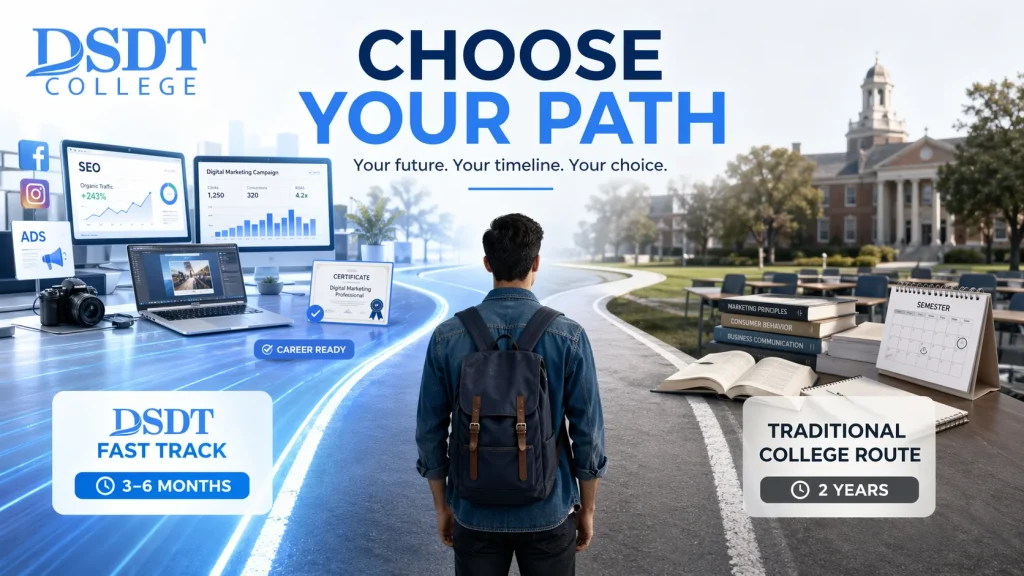
Compare DSDT vs Macomb Community College for Digital Marketing career training. Discover fast certification vs 2-year degrees for veterans & career changers.
Fast Track or Slow Burn? Your MRI Pathway Explained

Discover your MRI certification timeline pathway: Compare ARRT, ARMRIT routes, timelines, costs & tips for fast-track certification in 12-18 months.
A+ Service: The Veteran’s Guide to Getting Certified
Discover CompTIA A+ for veterans: GI Bill funding, exam prep, SkillBridge paths & high-demand IT careers starting at $116K. Get certified now!
The Best Pen Testing Courses to Hack Your Way into a New Career
Choose the best pen testing courses for your goals: entry-level to OSCP+, hands-on labs, certifications, costs, and career paths.
The Bilge Adam Full Stack Developer Guide to Salaries and Skills
Discover Bilge Adam full stack developer salaries, skills & careers at top firms. DSDT training unlocks global opportunities in .NET, Java & more!
What Is Machine Learning: A Complete Guide for Beginners

Learn what machine learning is from the basics to real-world applications, types of algorithms, challenges, and the future for beginners!
Bridging the Gap with Hiring Our Heroes SkillBridge Programs

Discover Hiring Our Heroes SkillBridge: Gain 180-day civilian experience, fellowships, and jobs for transitioning service members. Apply now!